Knowledge Sources
Knowledge sources are the data that trains your agent. This guide covers how to add, manage, and optimize your agent's knowledge base.
How Knowledge Works
When you add a knowledge source, 88Agents processes it through several steps:
- Ingestion — Content is extracted from your source
- Chunking — Text is split into smaller, manageable pieces
- Embedding — Each chunk is converted to a vector representation
- Indexing — Vectors are stored for fast retrieval
When a user asks a question, the system finds the most relevant chunks and provides them to the LLM as context. This is called Retrieval-Augmented Generation (RAG).
Note
Source Types
Each source type has its own capture form. Click + Add Source from the Knowledge tab to choose from the available types.
Documents
Upload documents directly to your agent. Supported formats include PDF, Word, plain text, and Markdown. Documents are straightforward and should process quite quickly.
- Click + Add Source → Upload Document
- Drag and drop or browse to select files
- Click Upload
Tip
Websites
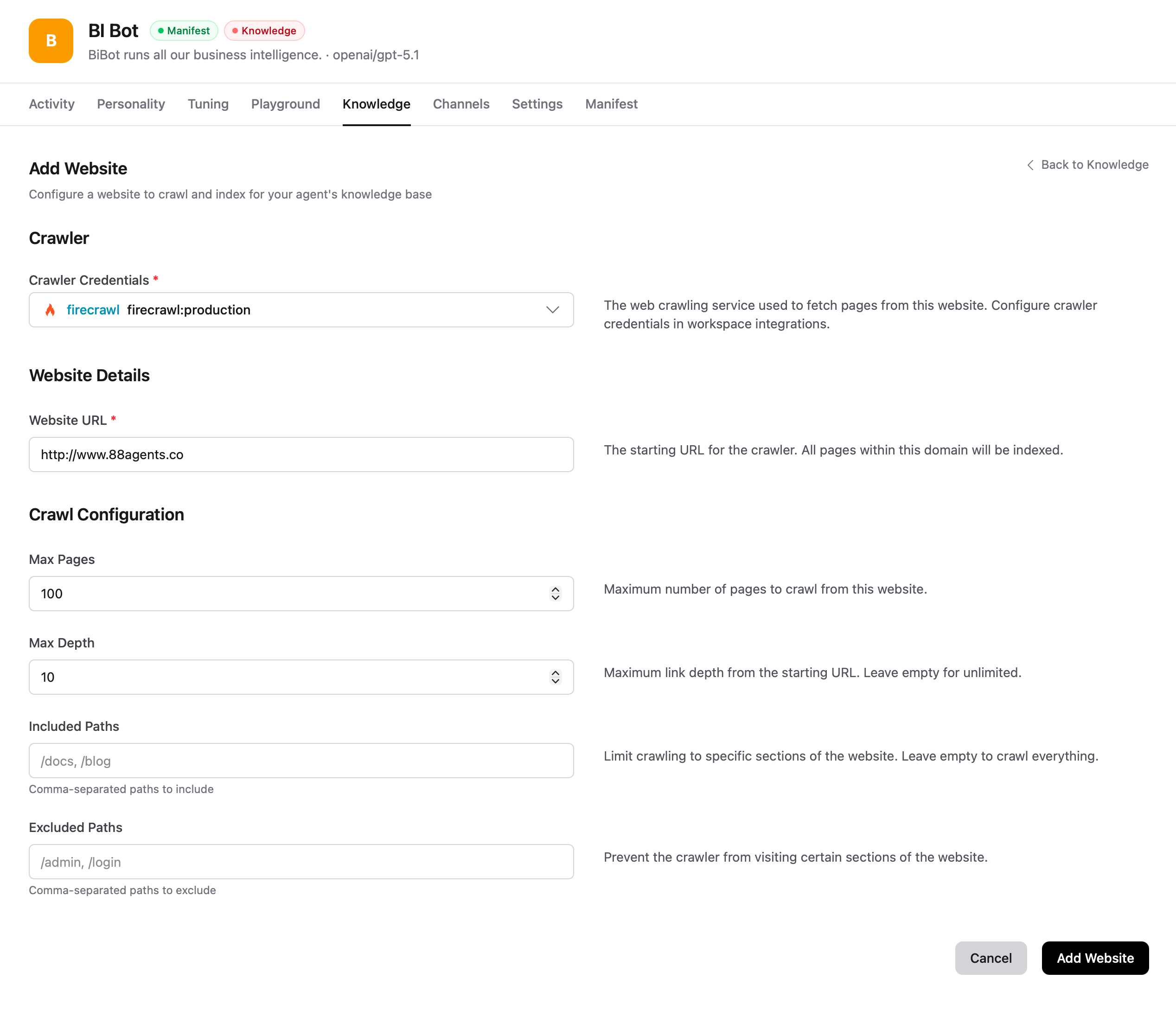
Crawl and index web pages as knowledge sources. Websites require a crawler integration (like Firecrawl) configured in your workspace credentials.
Enter a starting URL and configure crawl limits including max pages, max depth, and included/excluded paths. Indexing begins right away — large sites can take a while.
Note
Datasets
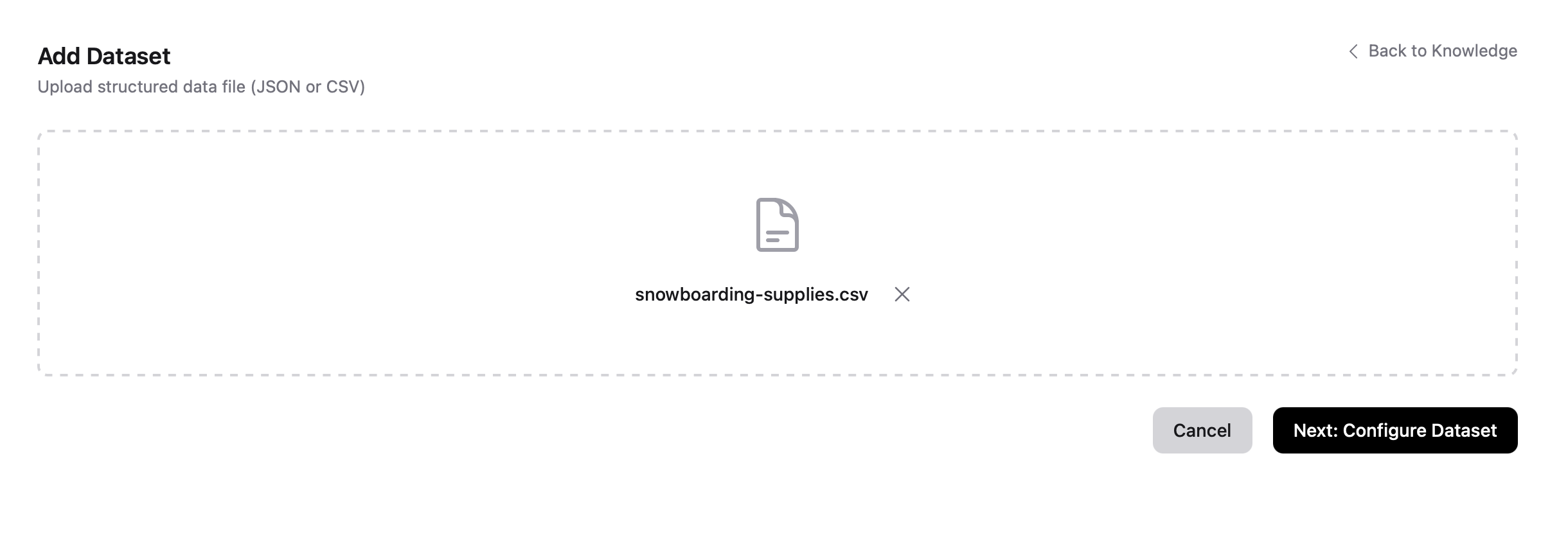
Datasets are a two-step process for structured data. Upload a CSV or JSON file, then configure how it gets indexed.
- Click + Add Source → Add Dataset
- Upload your CSV or JSON file
After upload, the file is analysed and a configuration screen appears. Set the dataset title, primary key, and review the Markdown template that will be used to generate indexed content from each record.
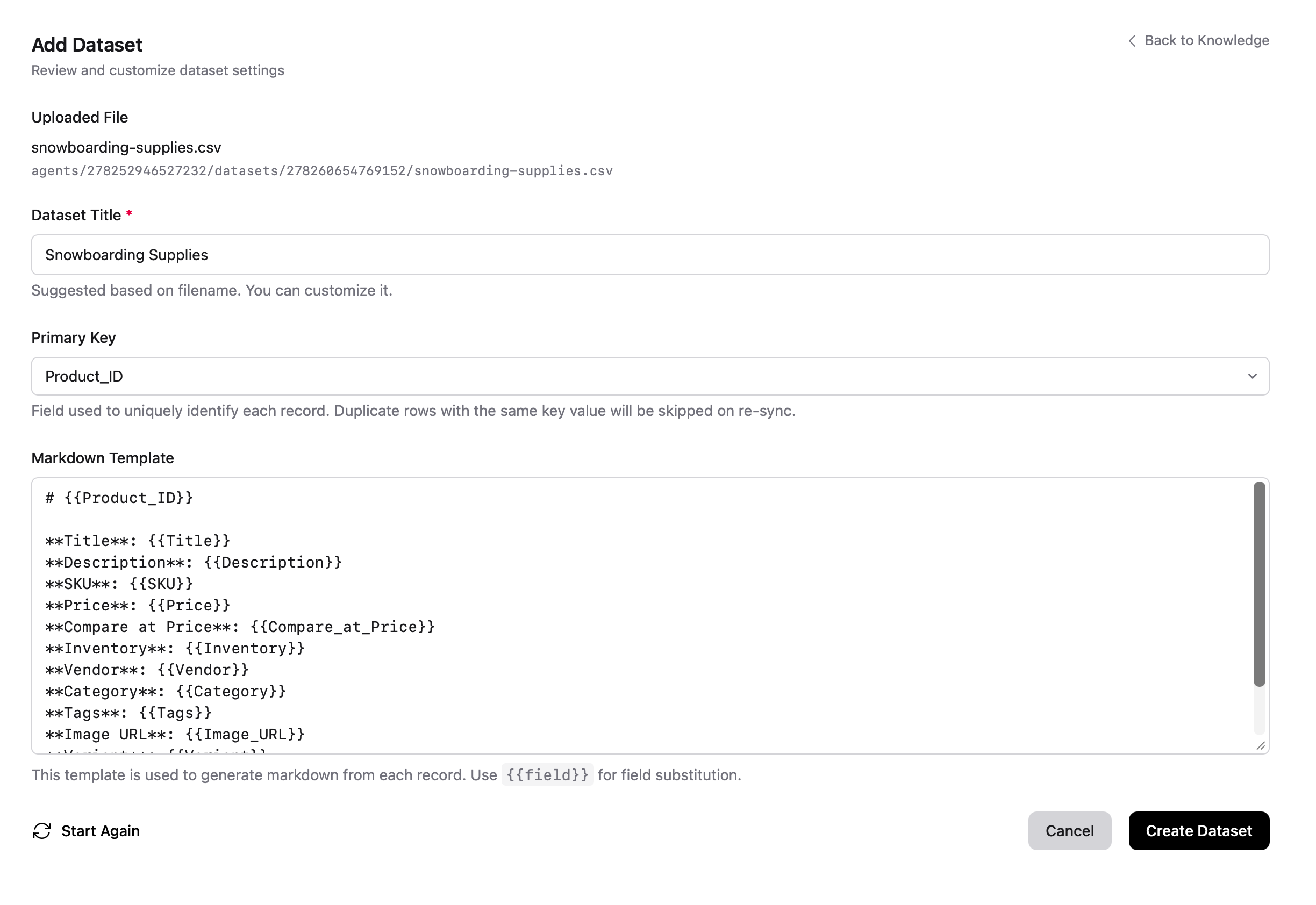
Click Create Dataset to begin indexing. The template is applied to each record and stored in your vector database, ready for questions.
FAQs
Add question-answer pairs for common queries. FAQs are straightforward and process quickly. Useful for exact-match scenarios where you want precise, controlled answers.
Transcripts
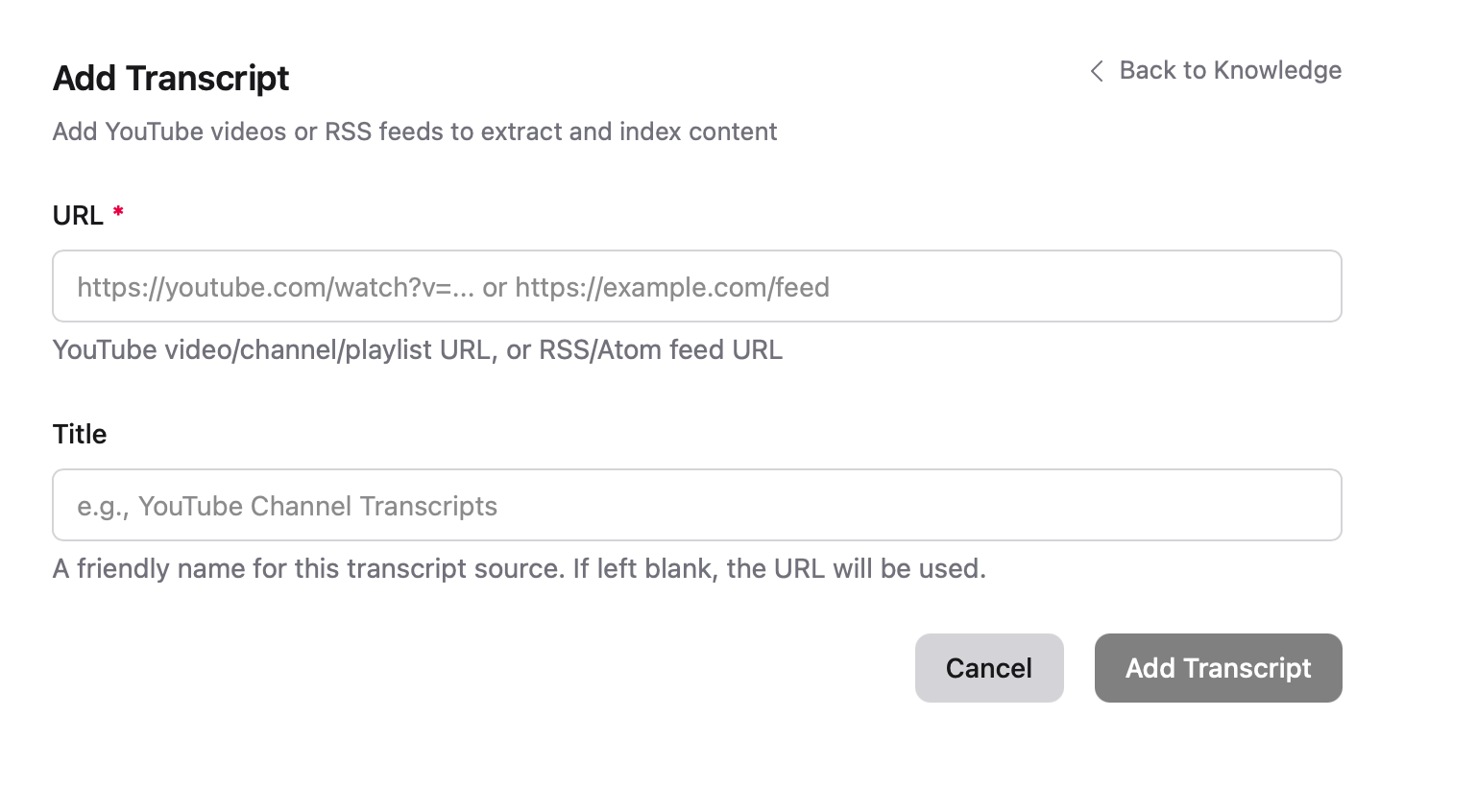
Ingest YouTube content by providing a video URL, playlist URL, or channel URL. Transcripts are extracted automatically.
Note
Managing Sources
The Knowledge tab shows all your sources with their current status. Long-running tasks show in-progress updates as they complete.
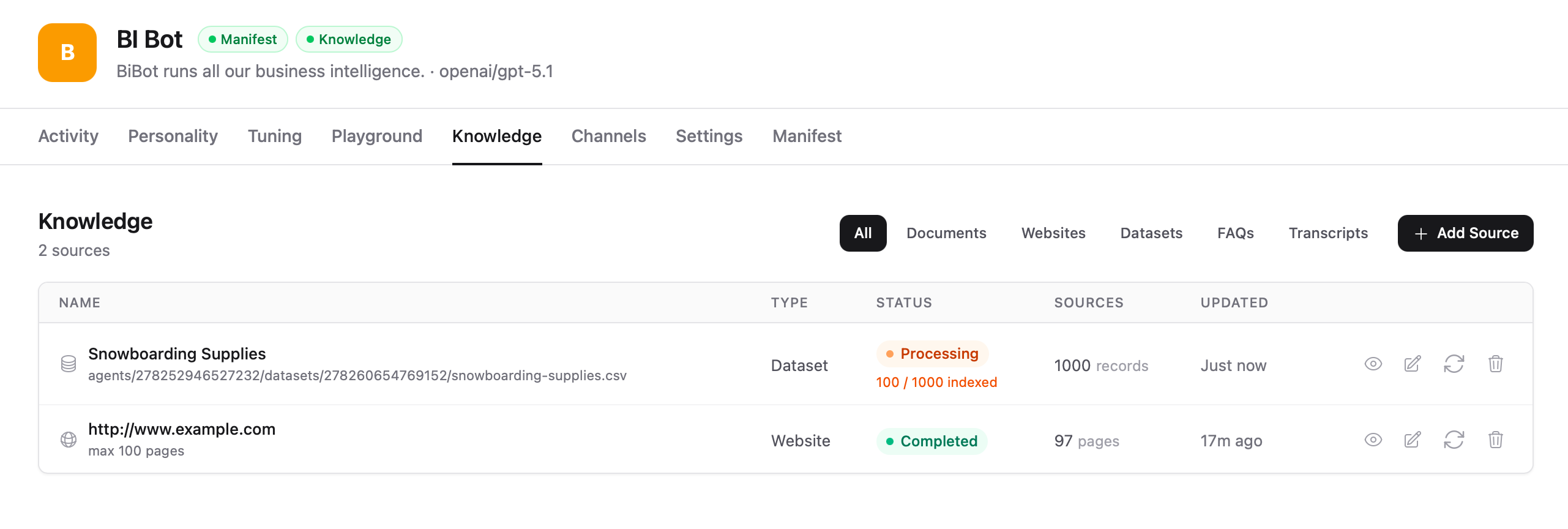
From this page you can:
- View status — See processing state (Processing, Completed, Error)
- Re-sync sources — Refresh content from web sources or YouTube
- Edit sources — Update configuration
- Delete sources — Remove sources from the knowledge base
Note
Best Practices
- Quality over quantity — A focused, accurate knowledge base outperforms a large, noisy one
- Keep content current — Set up regular re-syncs for website sources or update files when information changes
- Structure your content — Use clear headings and organize information logically
- Test after changes — Always test your agent in the Playground after adding or modifying sources
- Remove outdated sources — Delete sources that contain obsolete information