API Tokens
API tokens authenticate your applications when making requests to the 88Agents API. Tokens are created per-user and don't expire until deleted.
Creating Tokens
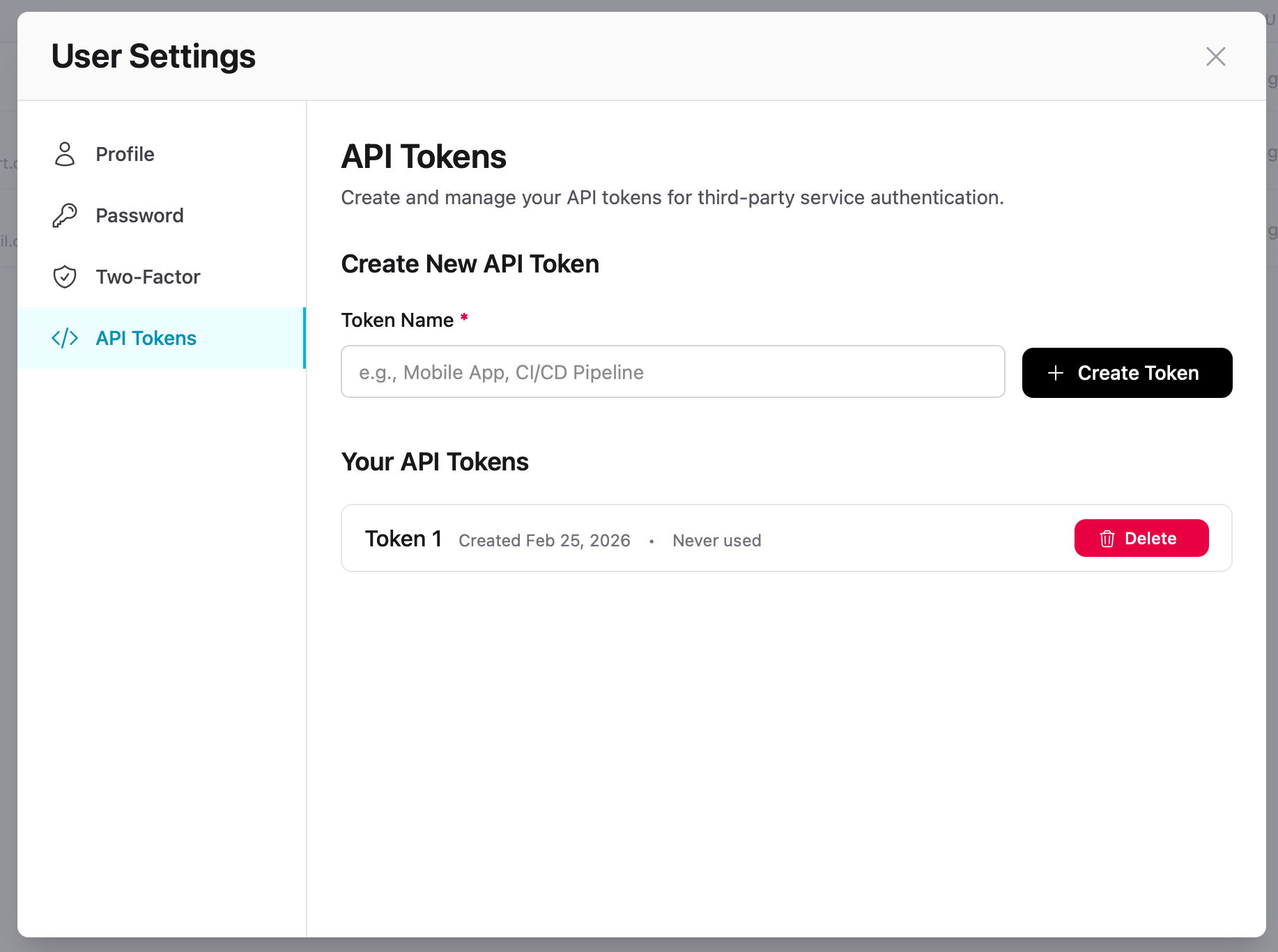
- Go to User Settings → API Tokens
- Enter a descriptive name (e.g. "Mobile App", "CI/CD Pipeline")
- Click Create Token
Warning
The token is only shown once after creation. Copy it immediately and store it securely. You cannot view the full token again.
Using Tokens
Include your API token in the Authorization header:
bash
curl -X POST https://app.88agents.co/api/agents/AGENT_ID/chat \ -H "Authorization: Bearer YOUR_API_TOKEN" \ -H "Content-Type: application/json" \ -d '{"message": "Hello!"}'Managing Tokens
Your existing tokens are listed below the create form, showing the token name, creation date, and last used status. Click Delete to revoke a token — it stops working immediately.
Tip
Create one token per integration so you can revoke access to a single application without disrupting others.