Workspace Settings
Access workspace settings from the Settings link in the sidebar. The settings modal contains tabs for General, Credentials, Conductor, Plans, and Team.
General
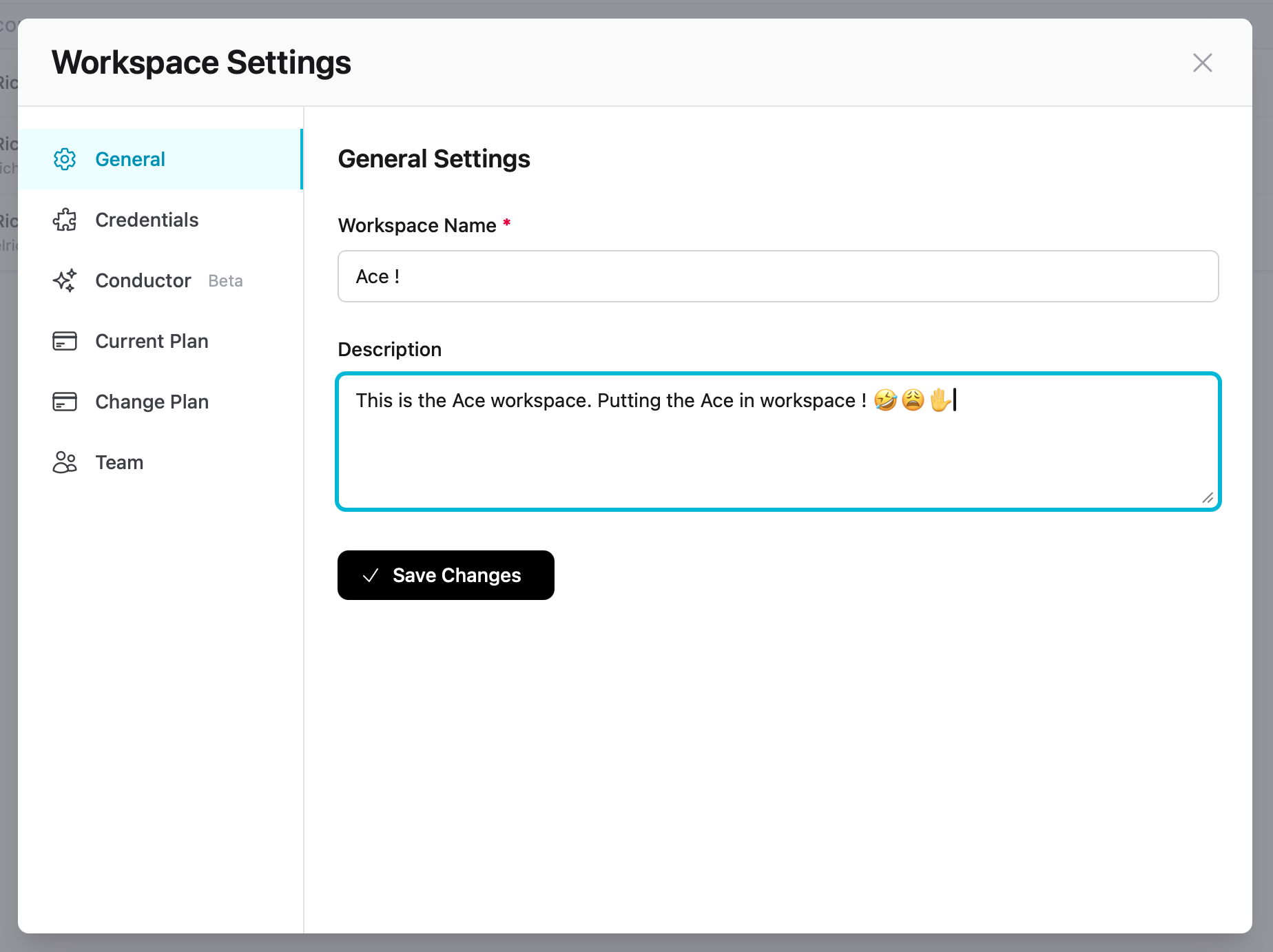
| Setting | Description |
|---|---|
| Workspace Name | Display name shown in the workspace switcher and sidebar |
| Description | Internal notes about the workspace purpose |
Conductor
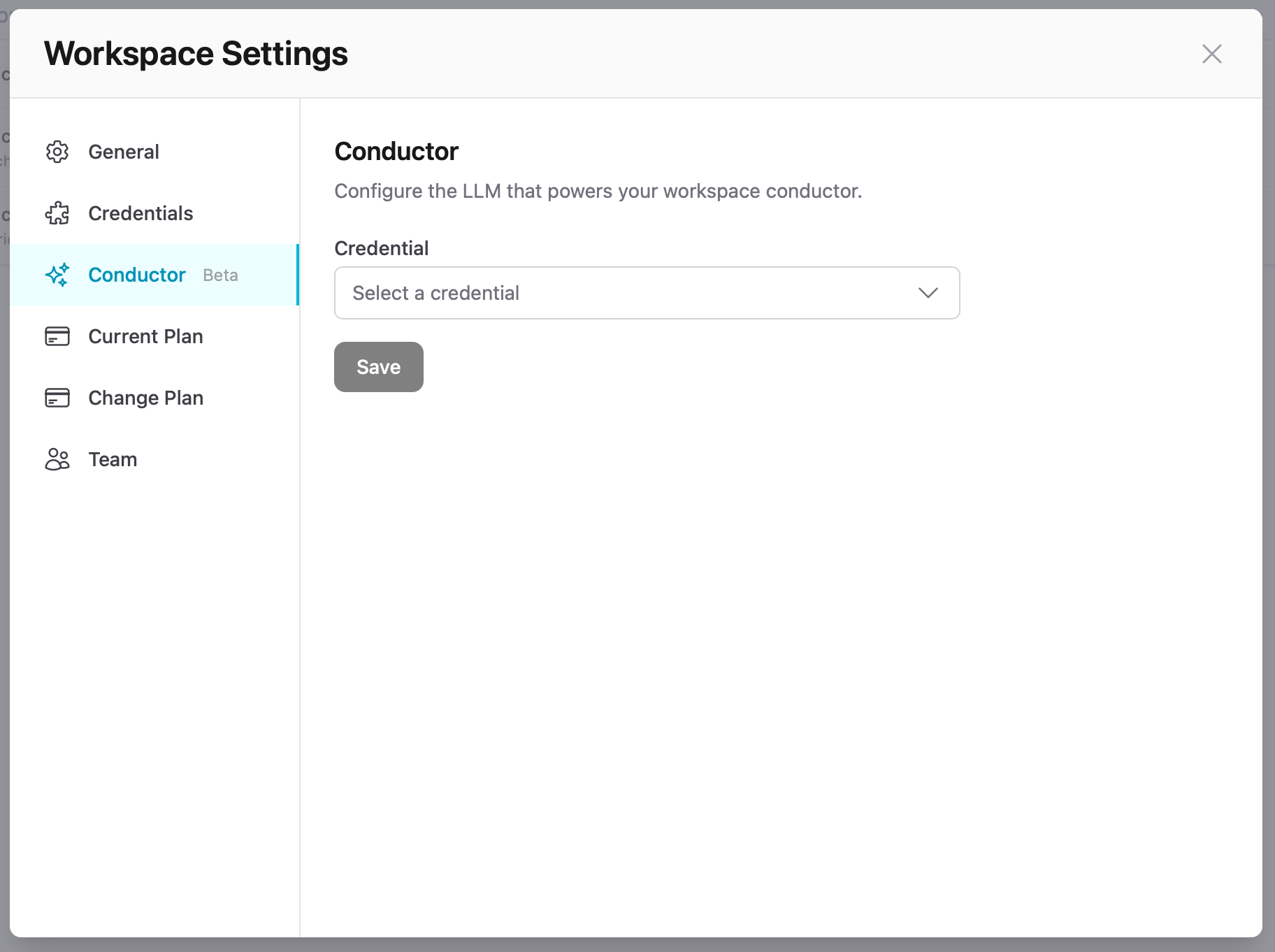
Conductor is an experimental AI assistant that helps team members create new agents. It uses an LLM to guide users through agent setup, suggest configurations, and generate system prompts.
To enable Conductor, select an LLM credential from the dropdown and save. The credential must already be configured in Credentials.
Note
Plans
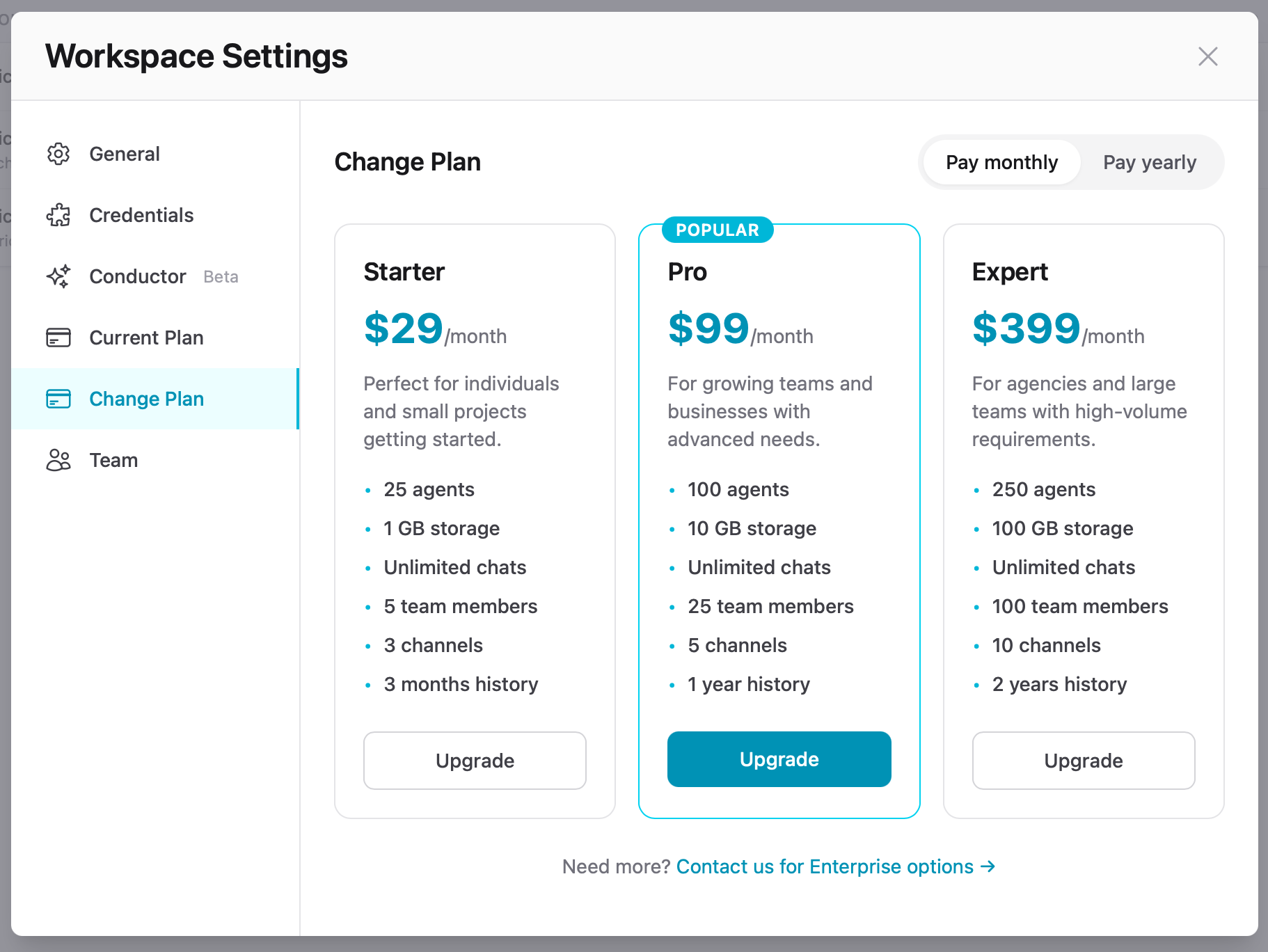
View your current plan or switch plans from the Current Plan and Change Plan tabs. Plans are billed monthly or yearly via Stripe in USD. All plans include unlimited chats.
Upgrades take effect immediately. Downgrades apply at the end of your current billing period. For enterprise needs, contact us.